June 10th, 2024

June 10 2024 - New Opportunity UI, Cleaner Emails
Key highlights of this release include an updated opportunity UI, new email templates, and a cleaned up meeting flow.
Opportunity UI
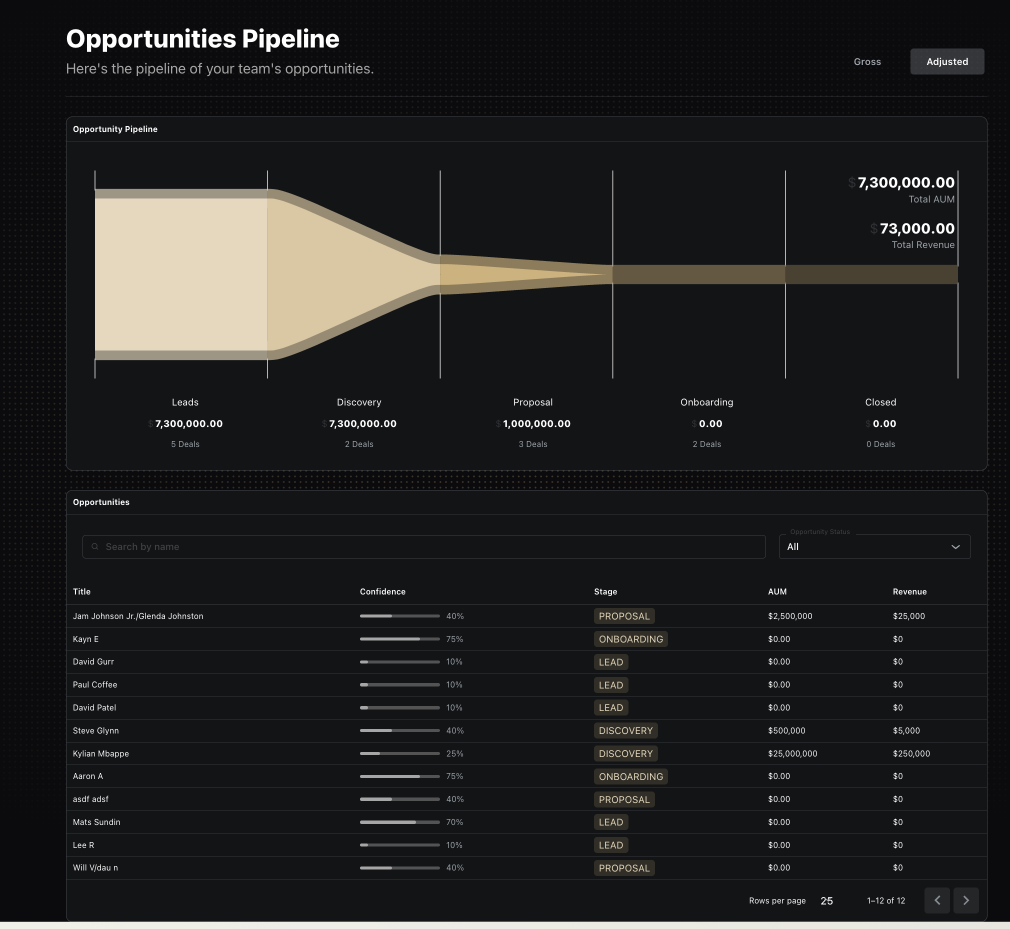
This update is aimed at making it easier to manage key data points on single opportunities, including the confidence and financial values that flow into the opportunity pipeline, thus making the aggregated pipeline values more meaningful.
The big change in the opportunity itself is the left sidebar, which persists across all the opportunity stages. This allows for managing opportunity-level data points like confidence and engagement level, as well as high-level financials.
These values flow into the opportunity pipeline, where the adjusted value applies the confidence probability to the gross values to estimate the total amount of expected AUM and revenue in a team's pipeline.
Email Templates & Meeting Flow
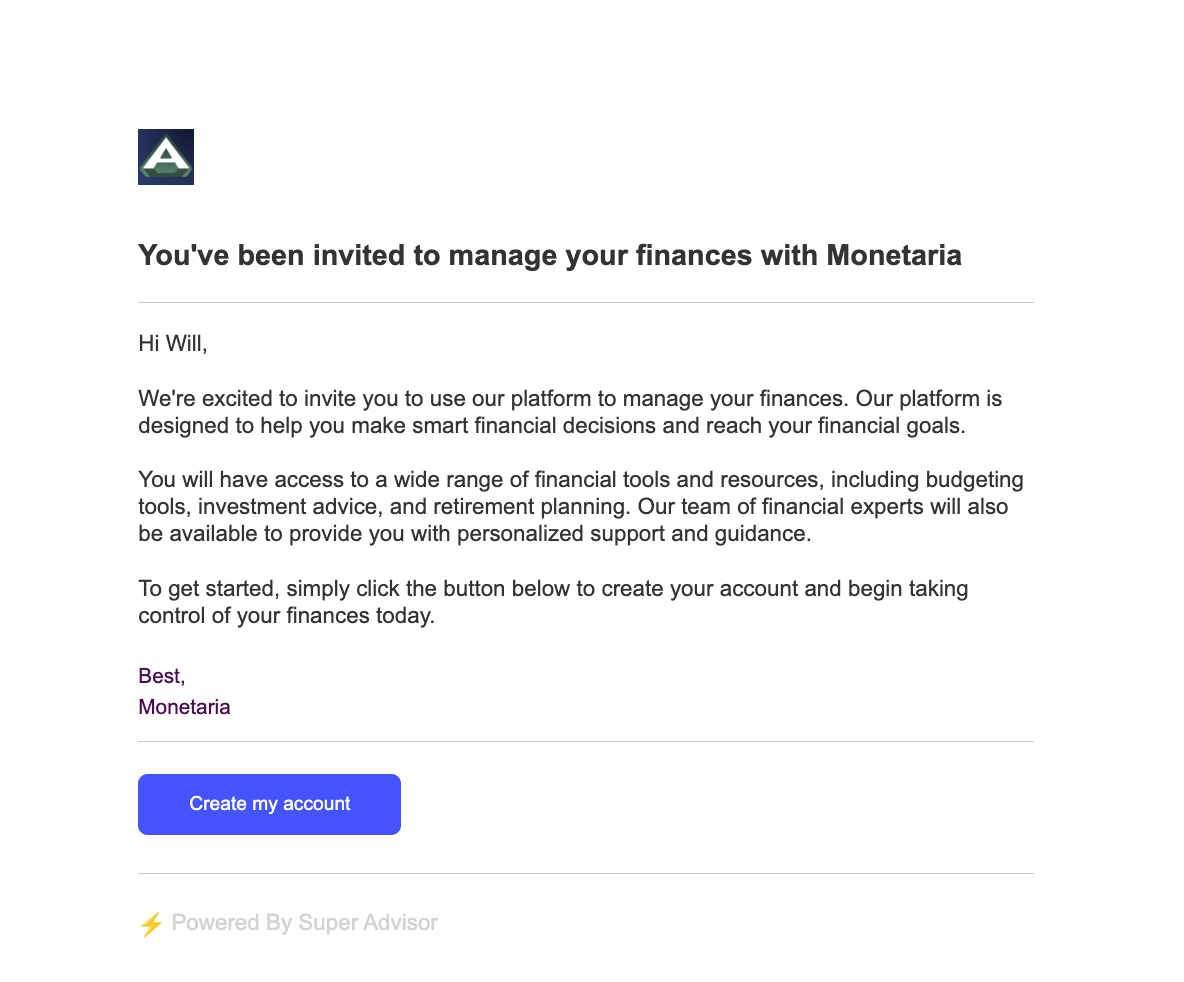
The base email template for transactional emails, including client portal, proposal review, and meeting invites, has been updated, with a focus on cleanliness and professionalism, as well as a design that can handle longer text and more dynamic elements in the content body.
Client Invite:
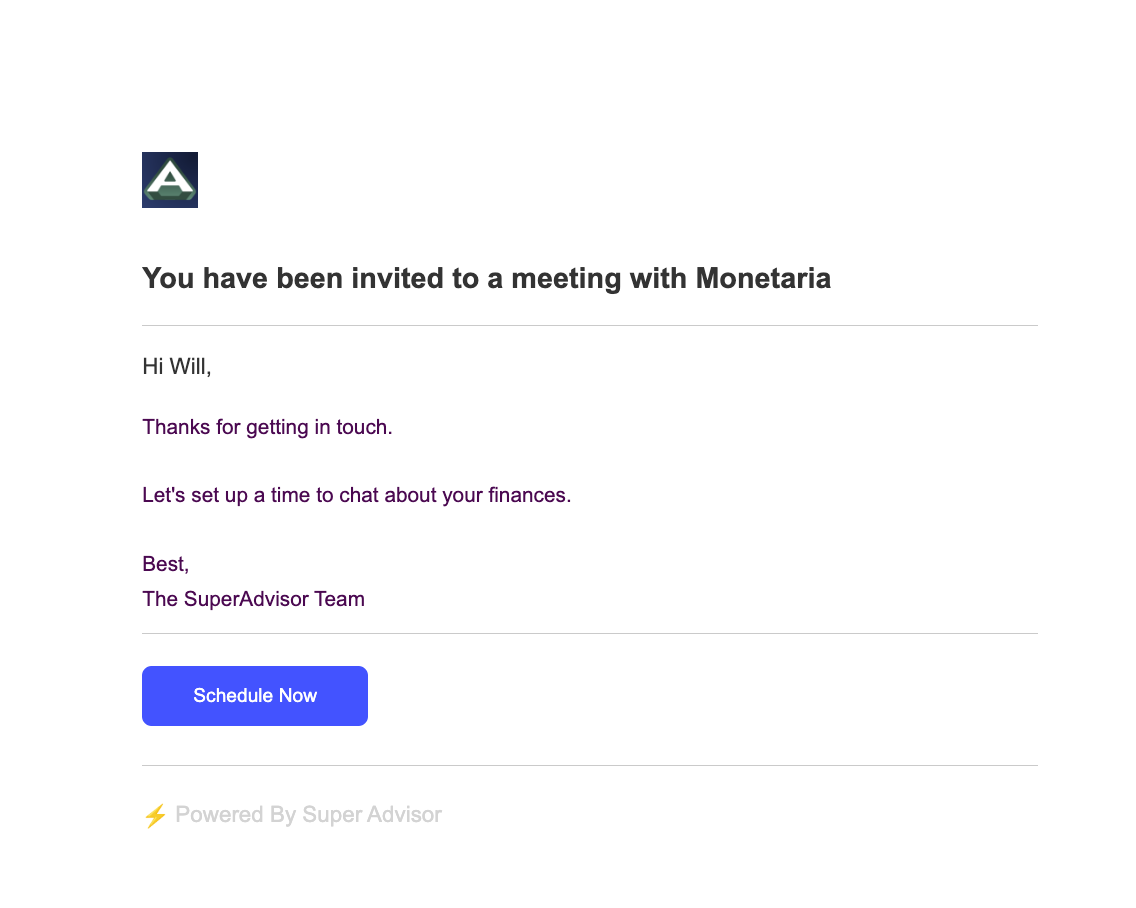
Meeting Invite:
In addition to the template change, the meeting invitation email now uses the meeting title as the email subject, and the message as the body content. The message is designed in a wysiwyg editor, allowing for more customization.
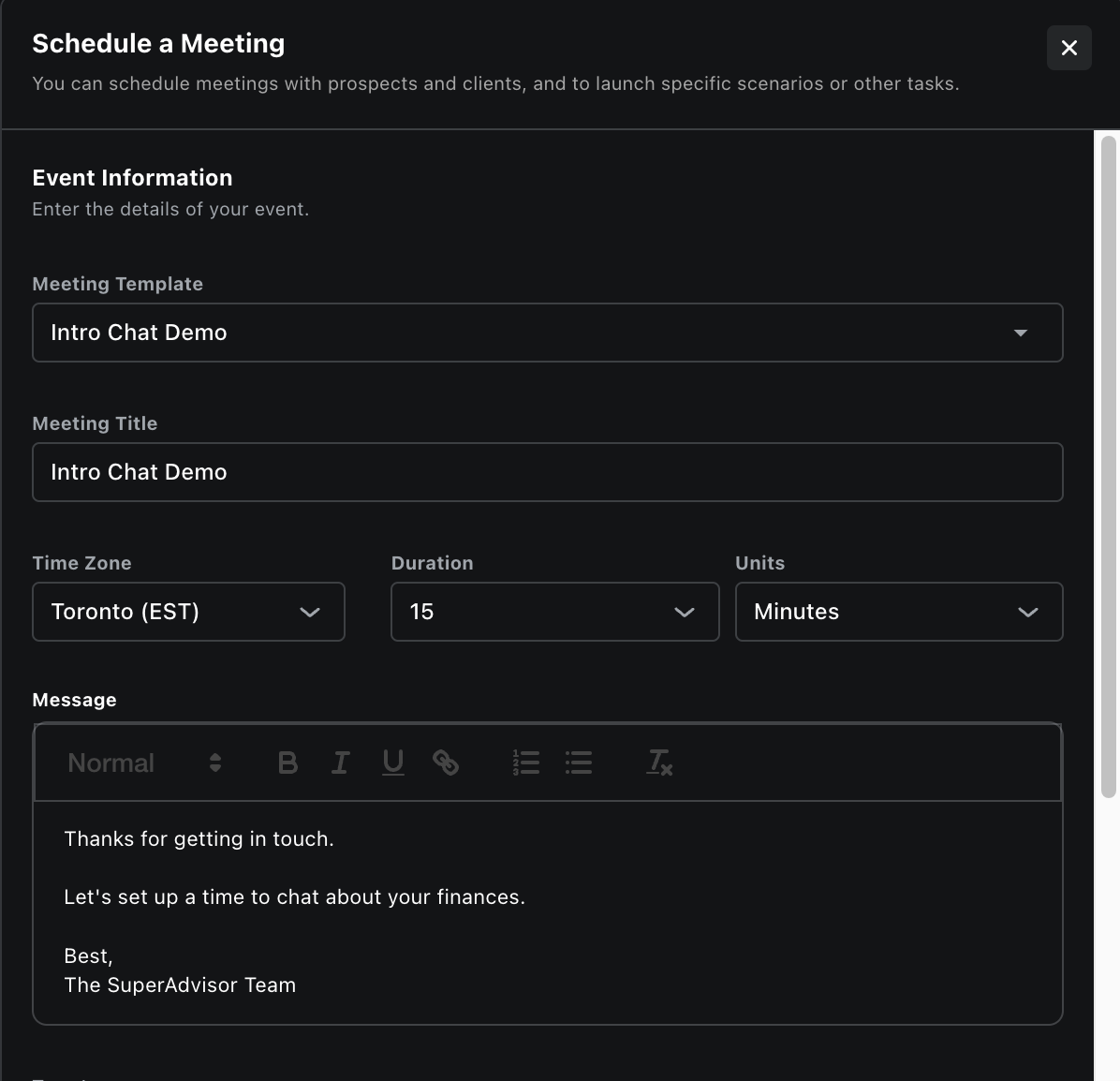
Further meeting scheduling enhancements include auto-accepting meetings as team members.
Overview
Features & Highlights
Updated Opportunity UI: Streamlined and user-friendly interface for managing key data points on single opportunities.
New Email Templates: Cleaner, more professional, and elegant look for email recipients.
Improved Meeting Flow: Addressed scheduling and accepting meeting invitations with clients.
Enhanced Meeting Invites: Uses meeting title as email subject and formatted content from the meeting description.
Auto-Accept Meetings: Team members' meetings auto-accepted to ensure calendar sync.
Additional Enhancements
All currency form fields default to CAD currency
Upcoming
Sync meetings in SuperAdvisor with events scheduled directly in Google
Multi-team: add multiple teams to orgs
User-level notifications & activities