December 8th, 2024
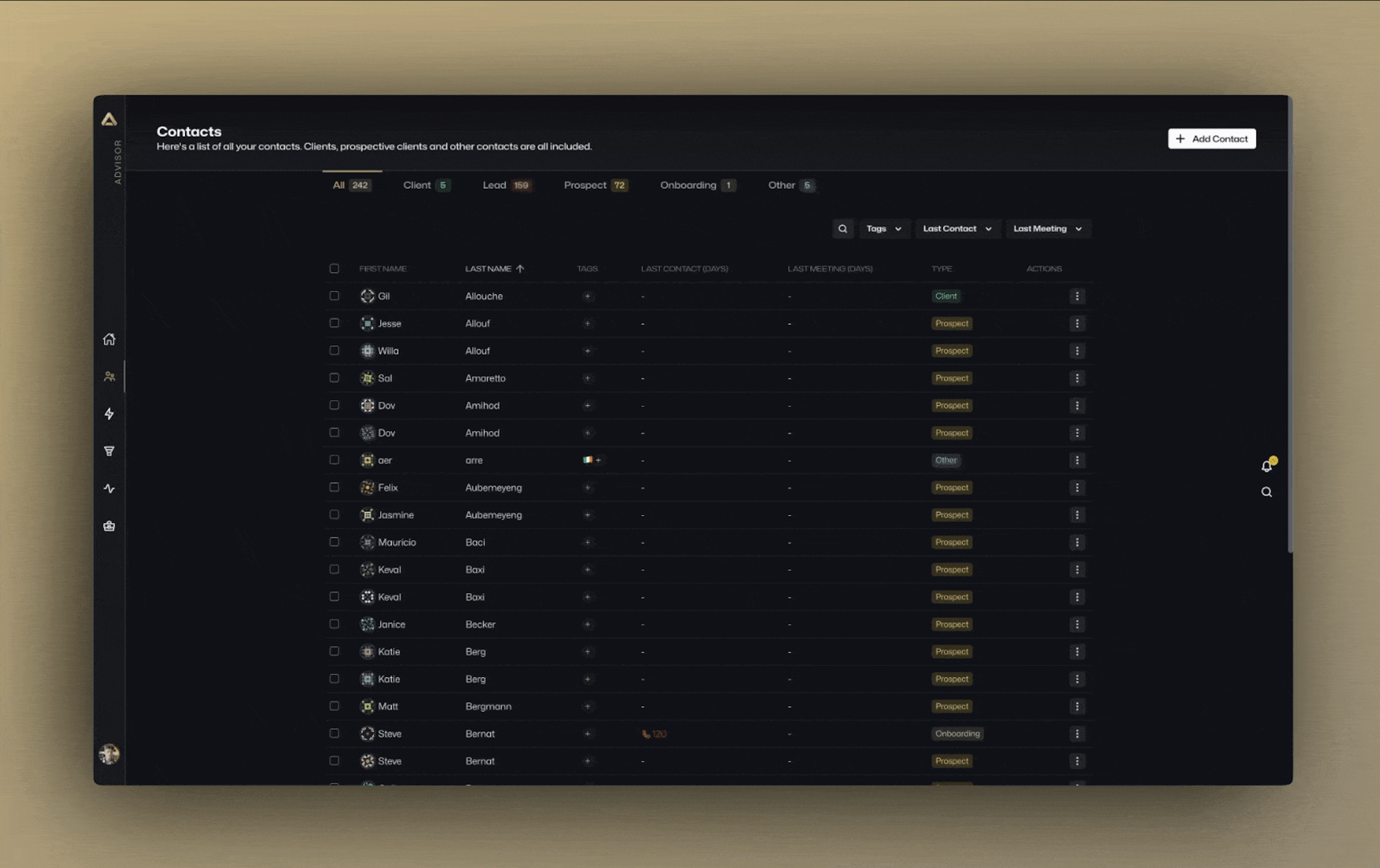
🚀 Big Updates Are Being Released from Super Advisor HQ!
We rolled out some game-changing features this week, all designed to make your work faster, smoother, and smarter. Next week, we’re diving into focus on helping many new clients with CRM data migration, but for now, let’s focus on what’s new.
Workflows: Your New Taskmaster
Workflows just got an upgrade. Now, you can create templates that break down processes into clear steps and assign tasks where they belong. Need something at the contact level? Done. Want to manage at the household level? You’ve got it.
Assign tasks to specific advisors, teams, clients, or even the client’s household. Set due dates to keep everyone on track. And here’s a glimpse of what’s coming soon: triggers that connect workflows to our Scenario engine. Imagine reaching the “sign documents” step and automatically launching a DocuSign request—no extra clicks, no forgotten steps.
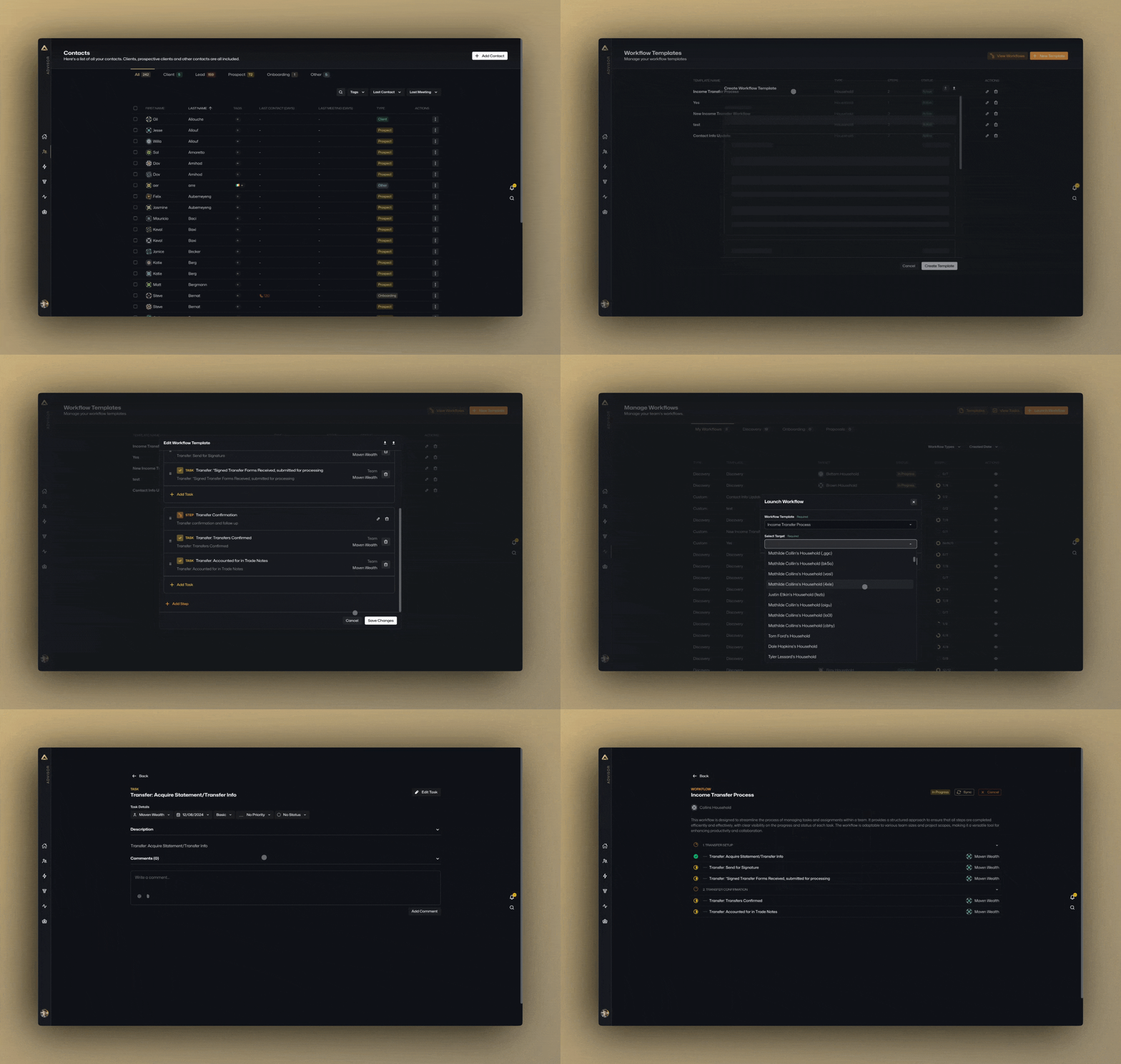
We’ve made workflows flexible too. Import or export templates, and if you’re not sure where to start, we’re happy to help you create one that works for you.
Custom Fields: Make It Personal
Your data, your way.
Custom fields let you track exactly what matters for your clients and households. From dates to multi-select options to currency values, you can create fields that fit your practice perfectly.
We’ve even added color-coding and icons to make your fields pop. Need inspiration? Head over to Iconify.
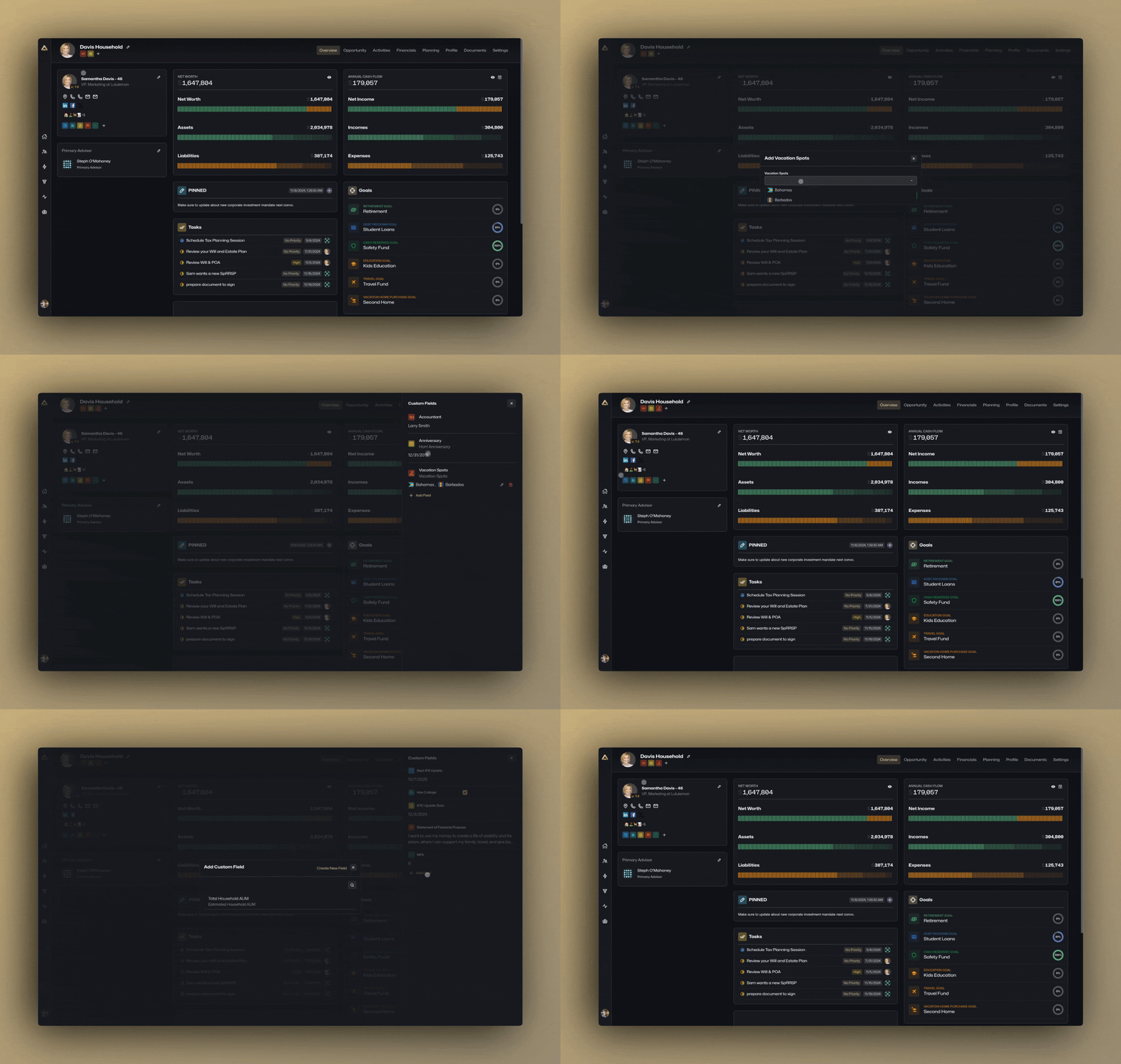
And this is just the beginning. Soon, you’ll be able to integrate custom fields into workflow templates. Think tracking year-end RRSP and TFSA contributions for every client or adding unique details to your processes.
Custom Views: See It Your Way
Say goodbye to one-size-fits-all layouts.
Custom Views let you pick and choose what fields—standard or custom—appear in custom contact or household lists.
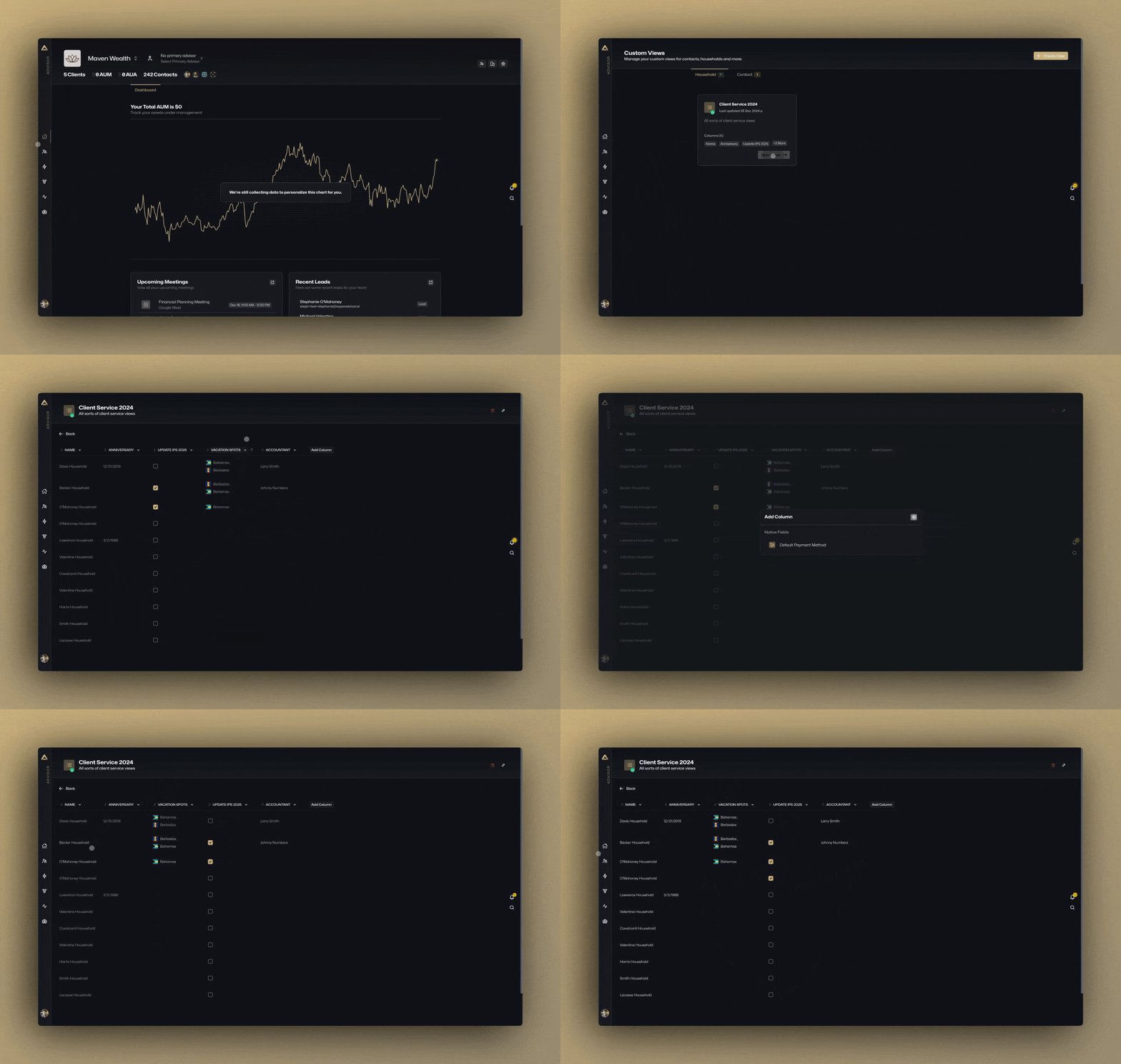
Want a dashboard to track key metrics for client service? Done. Need to edit custom fields directly in the table? Easy. It’s all about giving you more control over how you work.
Primary Advisor Mode: A Sharper Focus
This one’s for teams.
Now, you can set a primary advisor for each client relationship. Once selected, you’ll see everything filtered for that advisor—households, contacts, tasks, workflows, opportunities, even meetings.
For example, choose John Doe as your primary advisor, and the system will adjust to show only what’s relevant to his clients. It’s like putting on a pair of advisor-specific glasses to see the business through their lens.
Advanced Note-Taking: Notes That Stick (Coming very soon…)
This is one of our favourites. Notes are no longer just for households—they’re now available on nearly every record in the system.
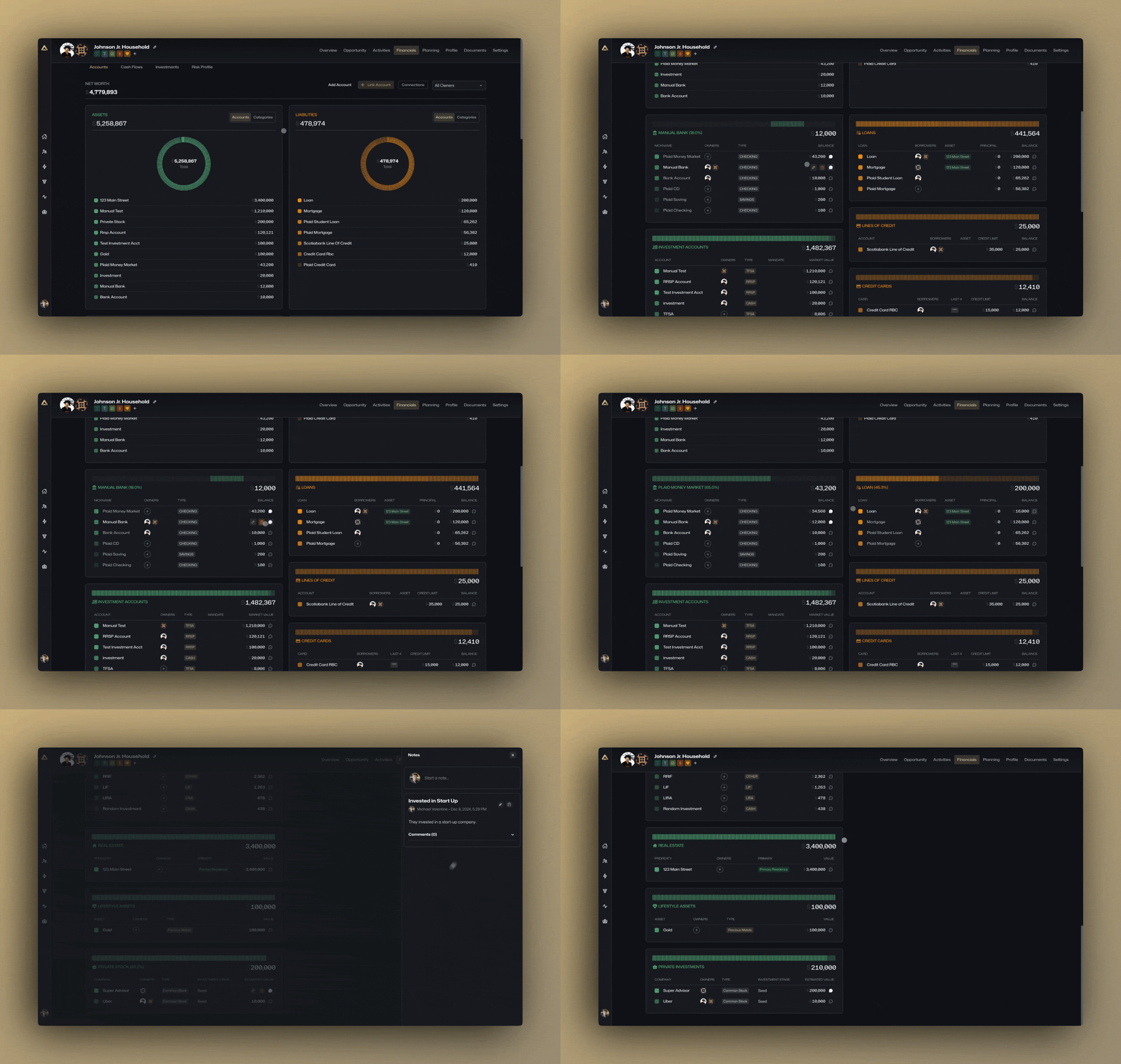
Reviewing a client’s balance sheet? You’ll find your notes on their real estate property right there. Checking securities? Add insights directly to your security master for easy KYP compliance. Want to track why a client holds that legacy stock their dad gifted them? Leave a note on the specific position.
Example of writing a note on a security in your security master.
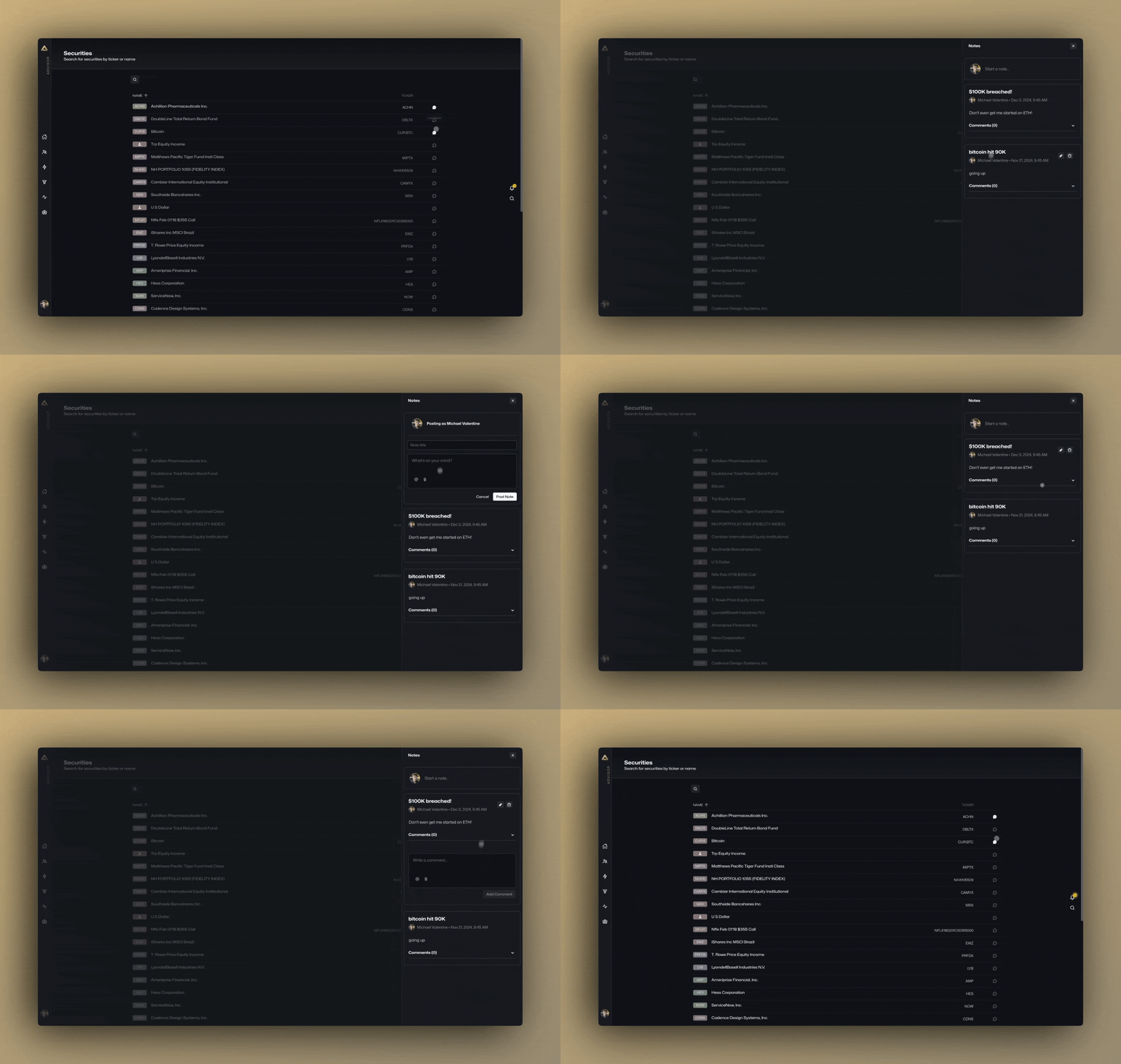
Example of notes on securities while viewing financial accounts.
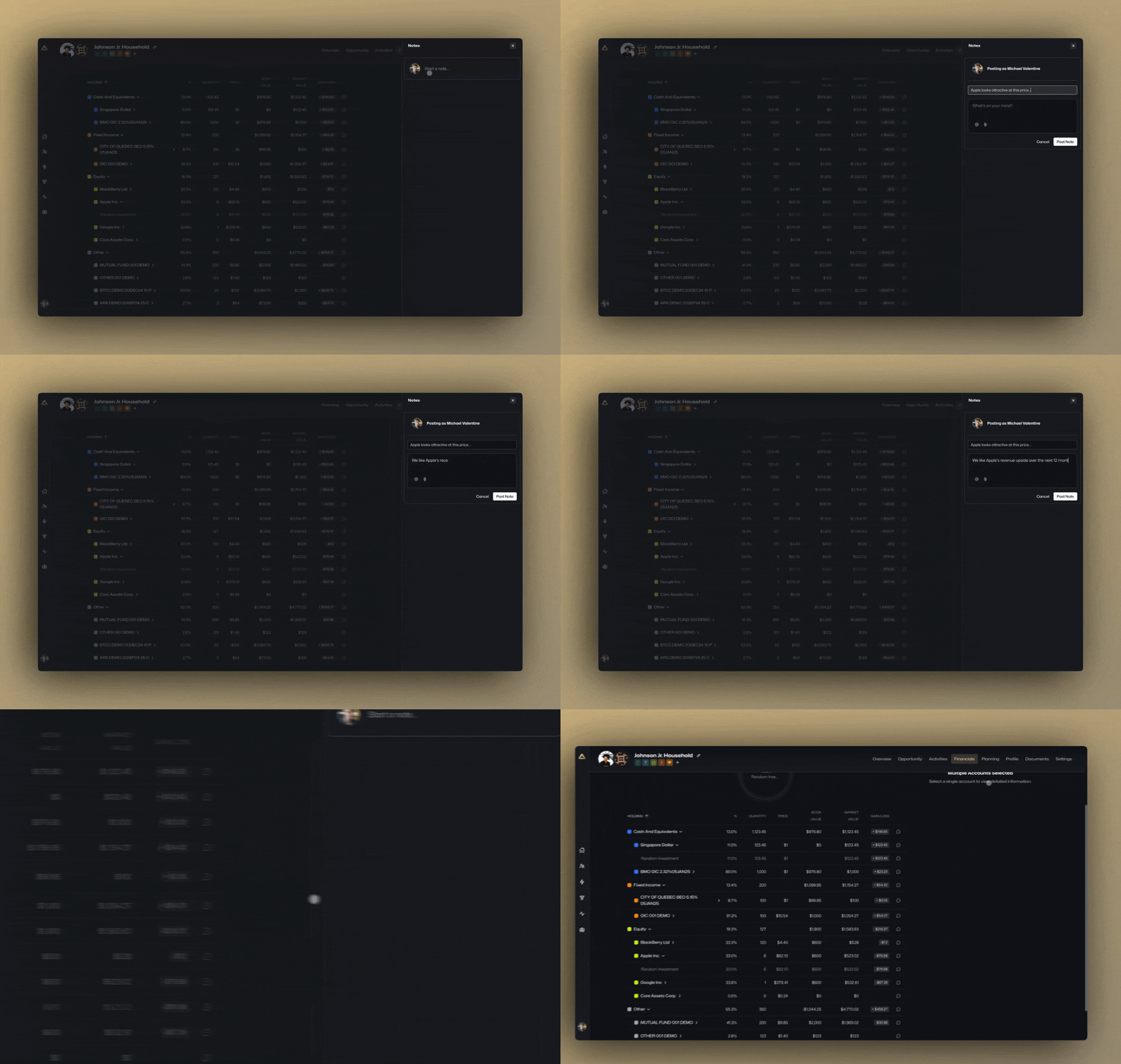
Example of notes on financial accounts, real estate properties and private investments on client household balance sheets.
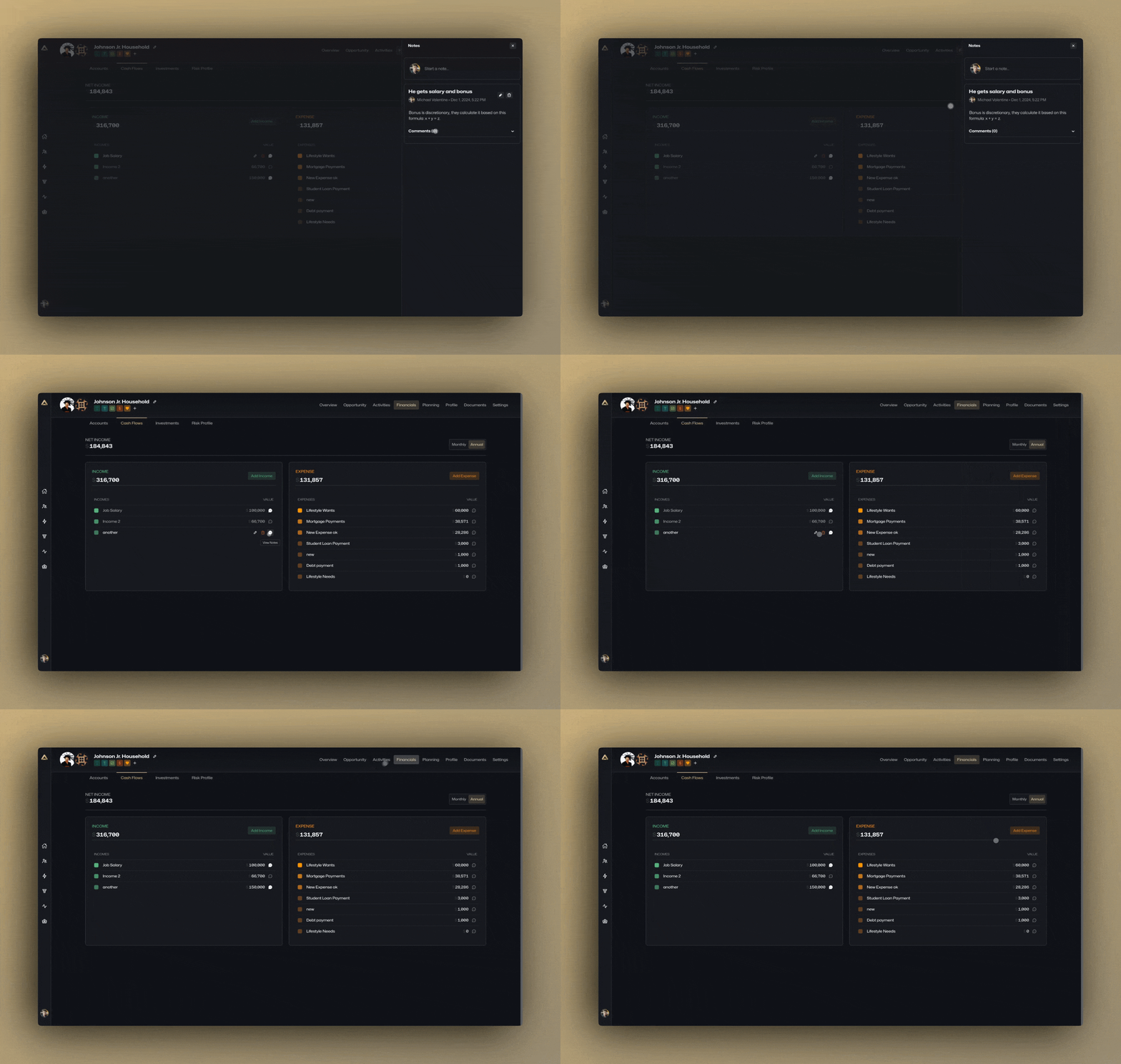
of Example of notes on an income source or an expense for a household.
No more hunting through endless notes. Everything is exactly where you need it, when you need it.
Got Questions? We’ve Got Answers.
We’re here to help. If you have ideas, feedback, or just want to know more, reach out via Slack or email.
In the meantime, enjoy exploring these new features and seeing how they can take your practice to the next level!